
Scan. Snap. Submit.
The assessment is configured first: educators set the marking criteria and submission deadline. Students then access it by QR code or link, upload digital responses or images of handwritten answers, and submit. The engine assesses the work according to the chosen setup, for an individual submission or in bulk.
Scan to Access the Assessment
Students scan a QR code or open a shared link to reach the assessment. Where enabled, they can submit without creating a student account.

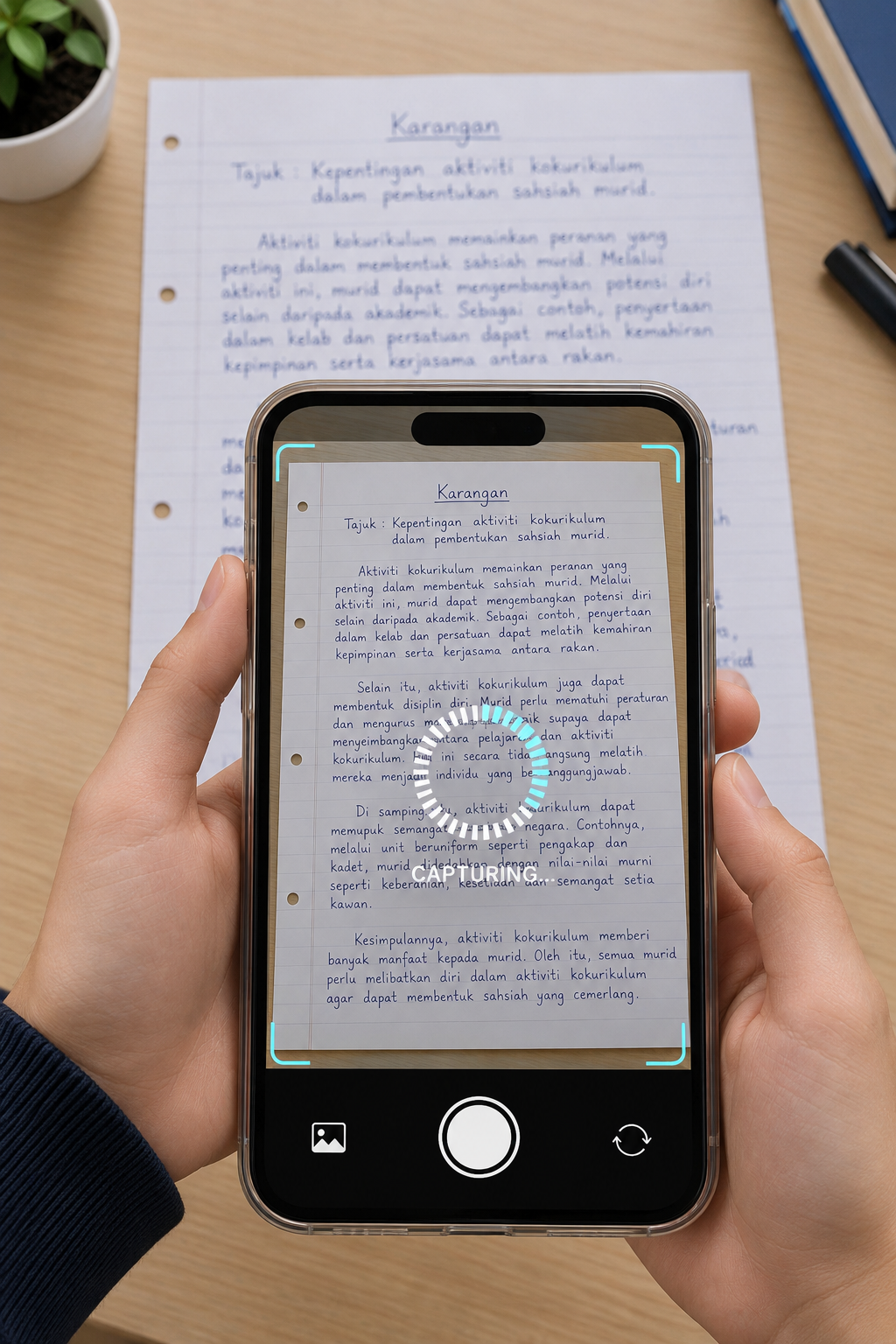
Snap and Submit Your Answers
Students can answer digitally or photograph handwritten work. They can upload multiple pictures of an answer paper before submitting, so the assessment engine receives the work together.
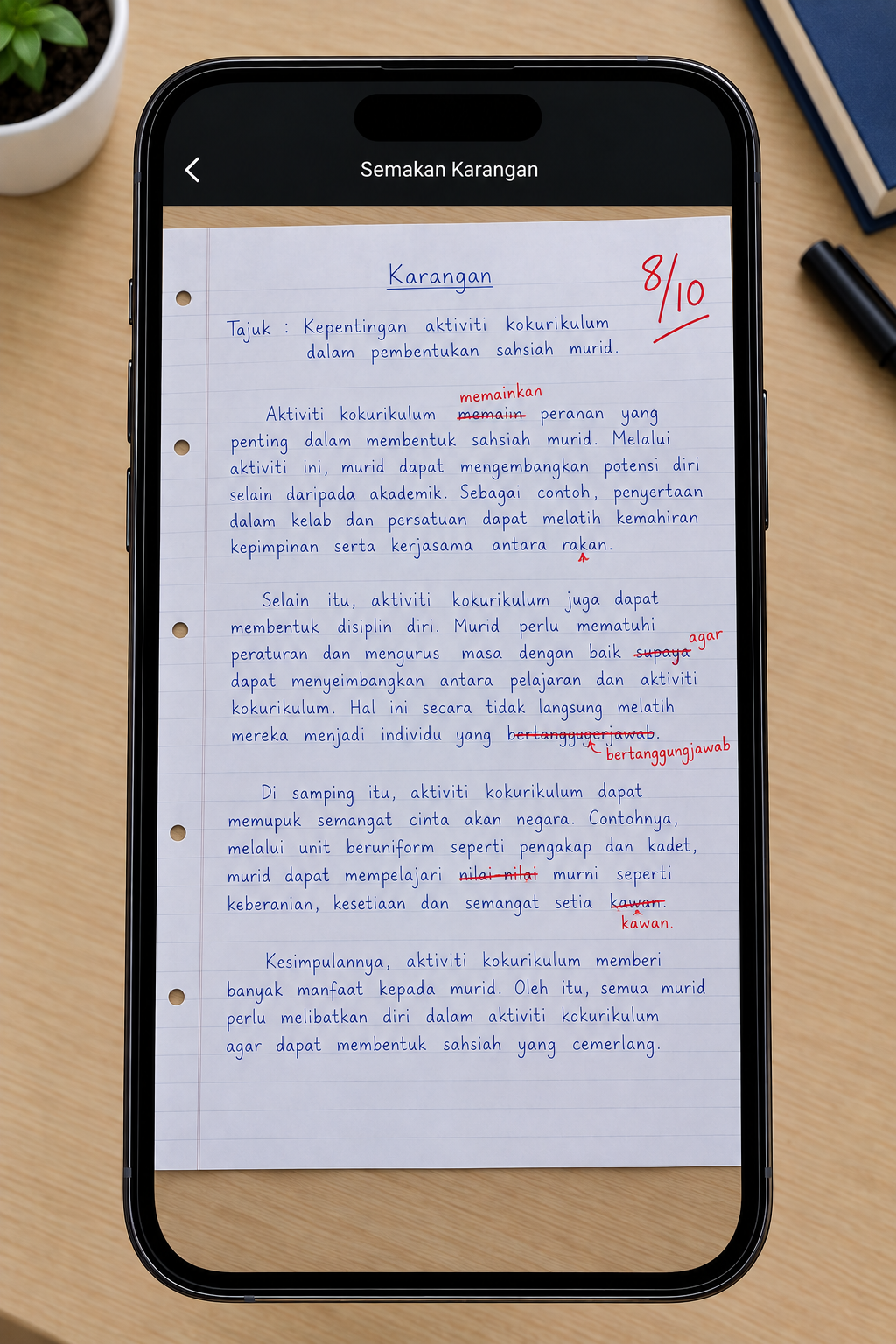
AI Marks Directly on the Paper
The engine assesses submitted answers against the marking criteria set for that assessment. For paper-based work, AI-supported marks and annotations can be placed directly on the submitted paper image.
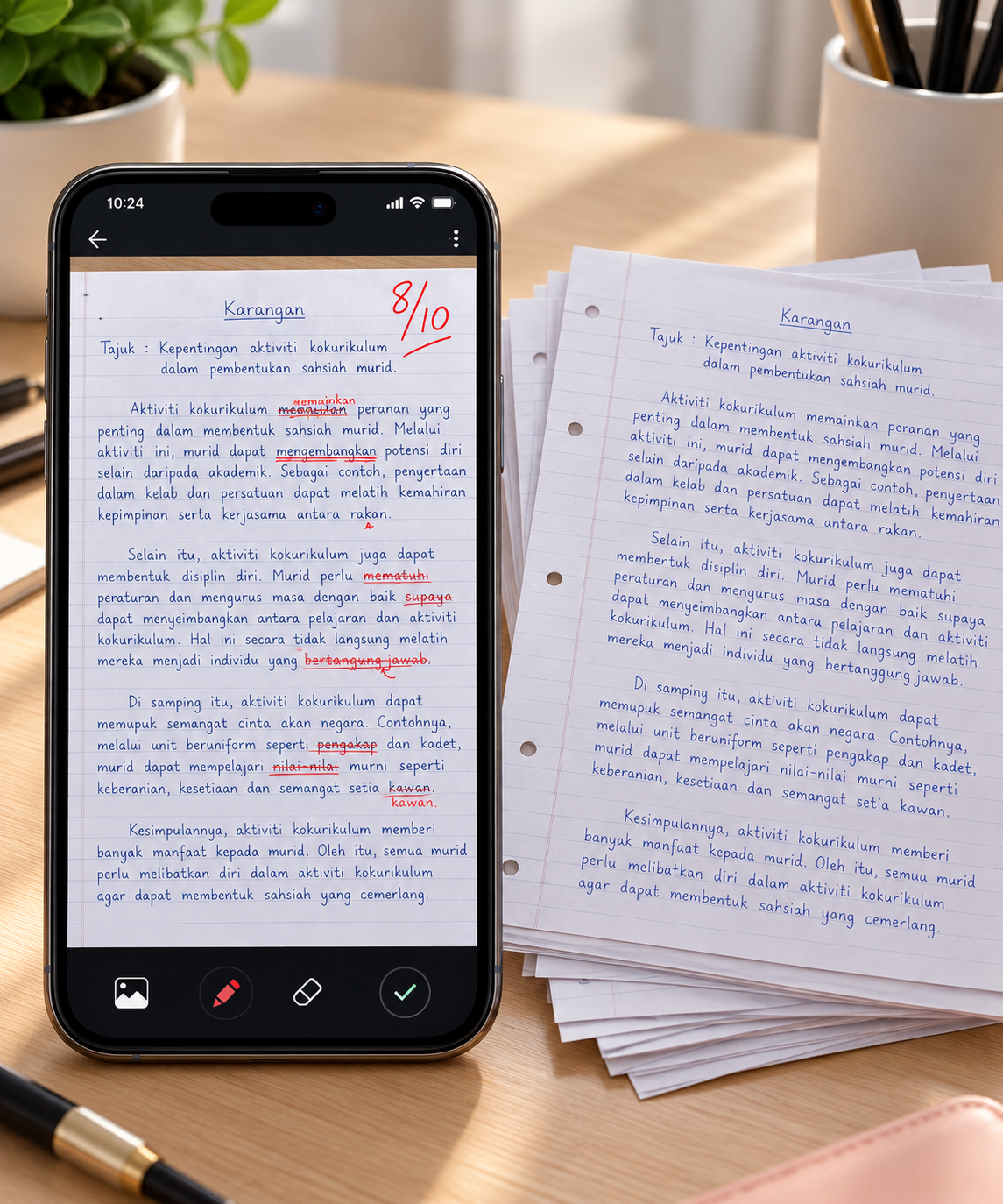
Instant Assessment or Bulk Assessment
Choose the workflow in the assessment setup: assess a submission instantly or process multiple students’ submissions in bulk. The engine follows the configured assessment process and presents the resulting marks for review.
One Engine. Different Setups.
The assessment engine is the technology behind the assessment workflow. It can power assessment experiences in Kelas Maya, operate as a standalone assessment platform, or be embedded into an existing LMS where the setup supports it.
Kelas Maya
Assessment technology used within Aceture’s learning platform, alongside its learning content and student practice.
Standalone Platform
A dedicated assessment experience focused on collecting submissions, applying assessment criteria, and reviewing results.
Embedded in Your LMS
Embed the assessment experience into an existing learning management system using compatible embedding methods.
Explore the Assessment Engine
See how the Scan, Snap, Submit workflow, AI-assisted marking, and instant or bulk assessment can be configured for your assessment setup.